
Why the smart meter matters
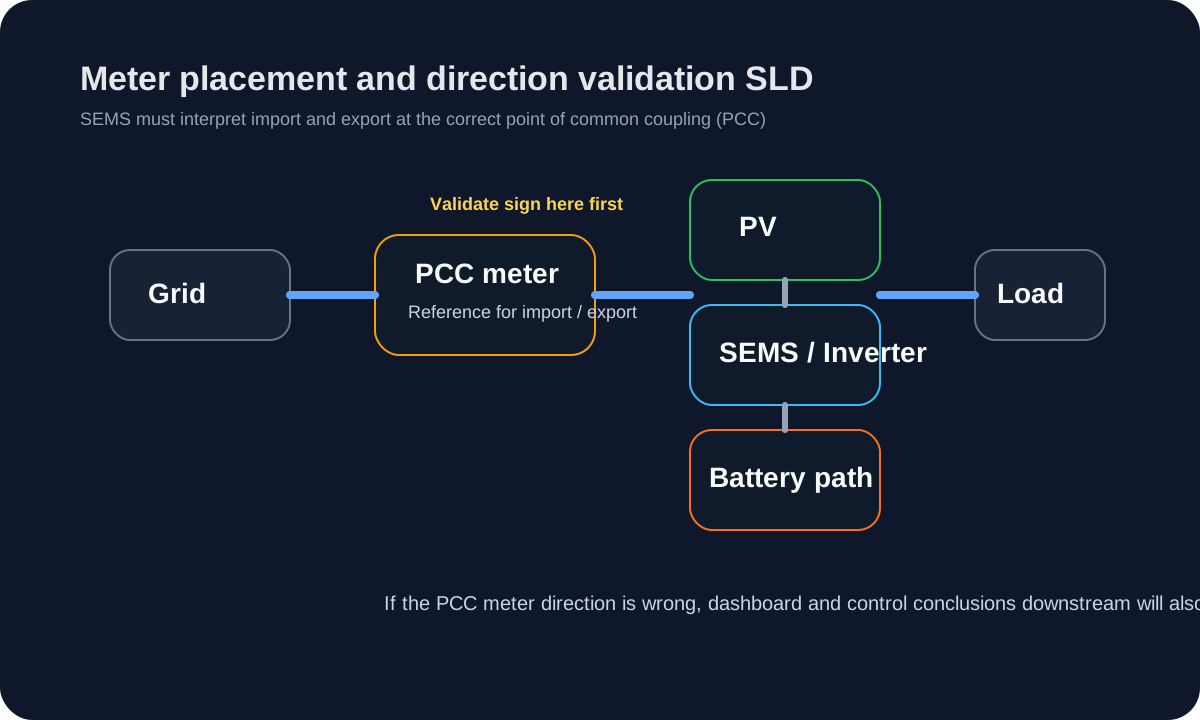
For most SEMS deployments, the smart meter is the reference point for:
- grid import;
- grid export;
- site-level direction checks;
- several higher-level control and alarm decisions.
If the meter direction is wrong, many downstream conclusions will also be wrong.
Before you begin
- the meter installation point is defined for the project;
- the device appears in the public Supported Devices list;
- the correct transport and profile are known;
- slave ID or TCP settings have been confirmed on the device side.
Commissioning procedure
- Add the meter on the Devices page.
- Confirm the correct device profile and communication method.
- Save the device and verify that polling succeeds.
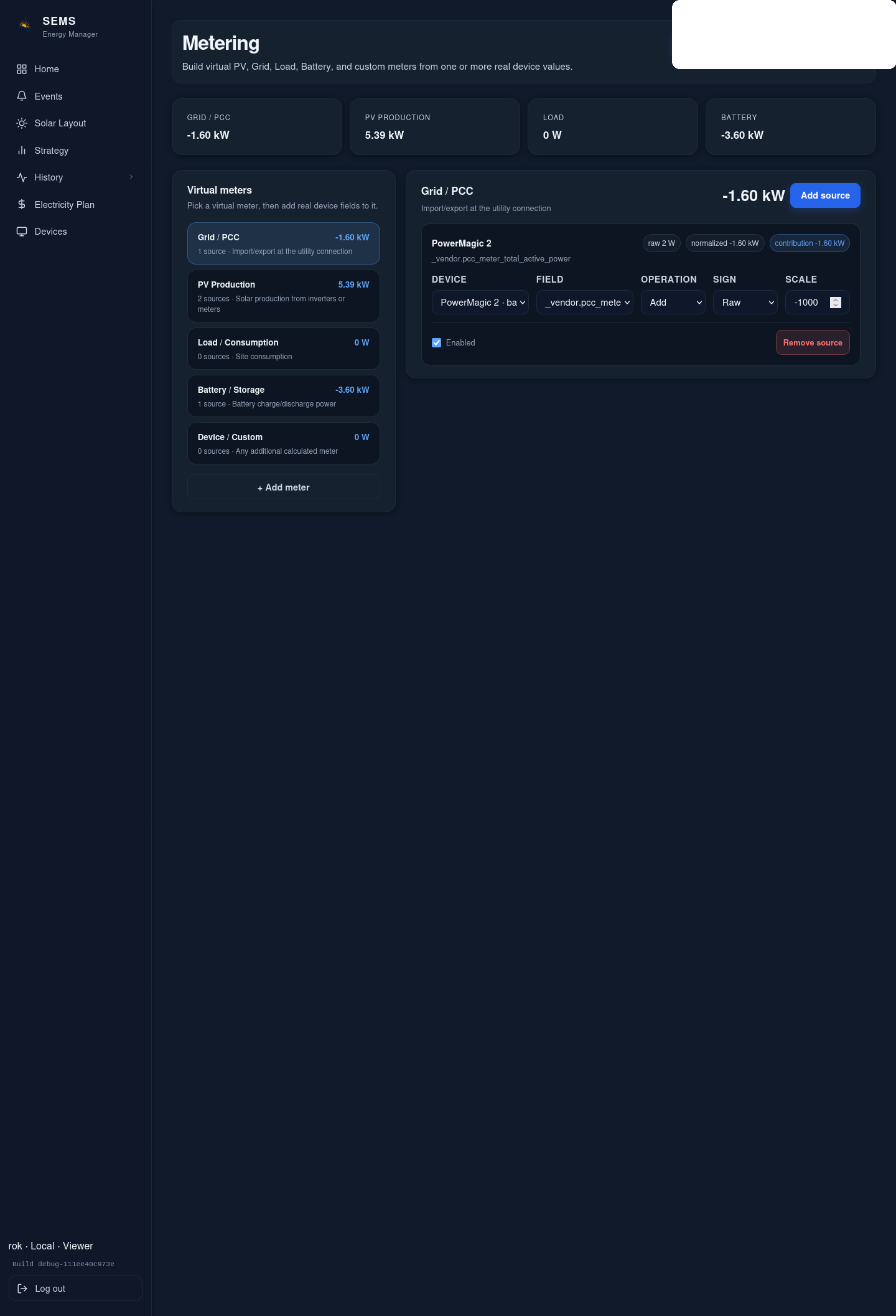
- Open the live dashboard or device view and inspect current import/export values.
- Compare the SEMS reading with the physical site condition.
Import/export direction check
At a minimum, verify:
- importing from the grid is displayed as grid import;
- exporting to the grid is displayed as grid export;
- zero or near-zero transfer behaves plausibly.
If the sign convention is wrong, stop and correct the configuration before continuing with inverter or battery control validation.
Common causes of incorrect direction
- CT orientation or meter-side direction configuration
- wrong device profile
- wrong phase/order interpretation
- using a meter position that does not represent the site PCC
Public support boundary
Only device families with reviewed public support status should be described as customer-facing supported. Do not assume that every implemented meter profile has already been verified on physical hardware.
Was this helpful?
Did this article answer your question?
Feedback saved on this device. If you still need help, contact CyberSun support.